STSX How It Works
Track Steel from Receiving Through Shipment
Developed by P2 Programs, STSX tracks every piece of steel from receiving through shipment. Barcode scanning captures real-time data at each step, giving teams clear visibility into material location, production status, and load readiness.
STSX Works With Your Existing Software
STSX connects to the system your shop already uses. Before the first piece is scanned, job data flows into STSX directly — no duplicate entry, no manual import. STSX works with multiple platforms and is designed to be accessible for shops of any size and setup. Supported integrations:
- Tekla PowerFab
- Tekla Structures
- SDS/2 by Design Data
- EJE Structural Material Manager
- Excel Files
Here’s how it works — and someone already proved it.
1. Capture Work at the Start
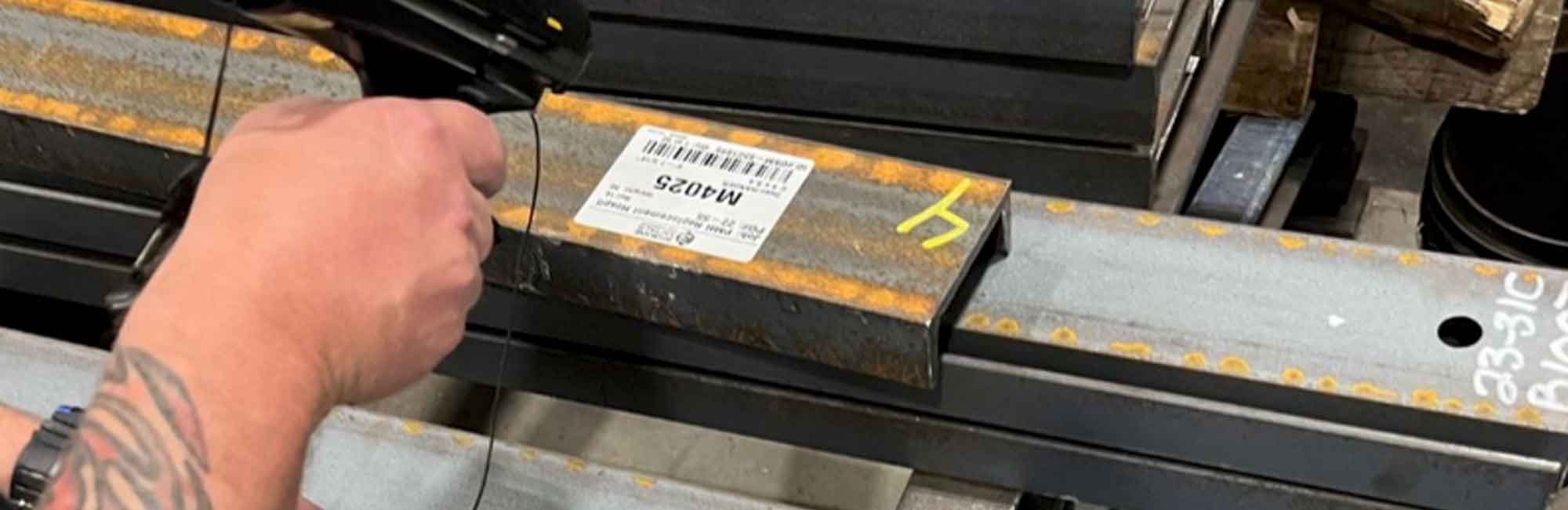
Steel tracking begins the moment material is received or production starts. Each piece or assembly is labeled and scanned, creating a digital record tied to that item. Every scan captures key information automatically, including time, location, and activity, without requiring manual data entry. This ensures that tracking starts immediately and that every piece is accounted for from the beginning.
STSX imports job data directly from Tekla PowerFab, Tekla Structures, SDS/2 by Design Data, or EJE Structural Material Manager, or Excel files — so every piece enters the system with its detailing data already attached. See how scanning works in the STSX demo >
It helped us get our inventory organized and actually use material that wasn’t being accounted for.
2. Track Production in Real Time
As steel moves through fabrication, each step is recorded through scanning. STSX updates production status instantly, allowing teams to see what is complete, what is in progress, and what needs attention.
Instead of relying on verbal updates or manual reporting, teams have live visibility into shop floor activity. Bottlenecks, delays, and priority work become clear as they happen, improving coordination across operations. Multiple employees can be logged per transaction — up to 5 — so the record captures exactly who performed each step across Fit, Weld, QC, Paint, and other stations.
It made it easier to see what’s done and what still needs attention.
3. Manage Inventory and Load Assembly
Completed material flows into staging, and load preparation with full visibility. STSX tracks where material is stored, what is assigned to jobs, and what is ready to ship. Teams can build bundles and loads with confidence, knowing exactly what is available and where it is located. This reduces confusion in the yard and keeps staging organized. Learn more about STSX >
We’ve improved inventory, shipping, and traceability across the entire operation.
4. Verify and Ship with Confidence
Before shipment, loads are reviewed and verified using the same tracking system. Teams can confirm counts, contents, and readiness before material leaves the facility.
This step reduces shipping errors, prevents missing material, and improves delivery accuracy. Shipping becomes a controlled process instead of a final checkpoint filled with uncertainty. See real results from steel operations >
If it’s on the paperwork, it’s on the load.
5. Report, Review, and Improve
All tracking data is stored and accessible for reporting and analysis. STSX provides a complete record of material movement, production history, and job progress. Teams can review performance, identify inefficiencies, and improve planning over time. The system not only tracks work—it helps operations run more efficiently.
See real results on our Case Studies page >
We’re getting work out the door faster and hitting delivery timelines more consistently.
Need Better Steel Traceability?
If your team is dealing with inconsistent data, lost materal, or shipping errors, STSX can help create a more accurate and contrlled workflow.